Quietsite for Chrome
The site blocker that stays out of your way.
Block the sites that pull you off course, schedule your focus, and land on a calm block page instead of a wall of ads. No upsells. No subscription traps. Your list stays with you, never on our servers.
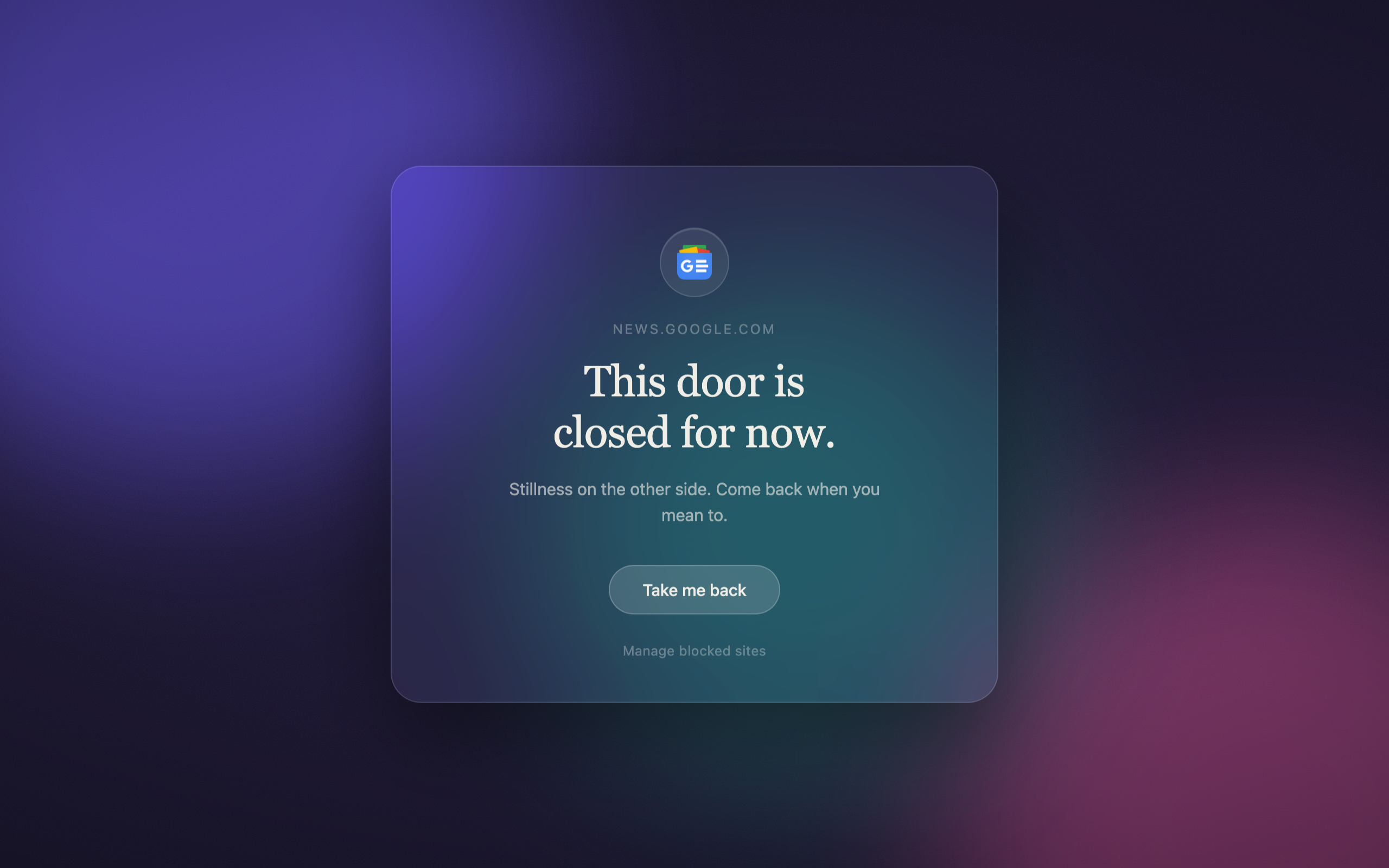
The block page. One quiet screen, the site you blocked, and a way back. That's it.
The trouble with blockers
You installed it to get an hour back.
You install a site blocker because you want an hour of quiet work, or because you have opened the same news tab four times before your first real task. You expect it to hold the door shut. What arrives instead is more of the thing you were escaping.
BlockSite caps its free version at three sites, so the fourth domain you add is a billing prompt. Its reviews are dominated by billing complaints and in-app upgrade prompts. Other tools put an upgrade card on the block page itself, which means the screen you hit while trying to concentrate is an advertisement. Some ask for an account before they will save a list. Some start a subscription that keeps charging long after you stopped opening the extension. And when Chrome disabled Manifest V2 in Chrome 138 in mid-2025, a number of legacy blockers stopped working.
A block page has one job at the moment you land on it, and selling is not it. It should confirm the page is closed, give you a beat to remember why you closed it, and put you back where you meant to be. That is the whole design brief.
Quietsite is built to that brief. It runs in Chrome and Microsoft Edge, on Manifest V3 from the first line. No ads. No upgrade card on the block page. No rating prompt, nothing to sign in for, no subscription. Version 2.5.1 is built. Live on the Microsoft Edge Add-ons Store; the Chrome Web Store listing is submitted and in review.
How it works
The browser does the blocking. Quietsite just keeps the list.
The question worth asking of any blocker is where the rules are evaluated, because that decides what the extension can see. Quietsite hands that job to the browser and keeps none of it.
A background service worker keeps your list in sync with Chrome's own declarativeNetRequest engine. Add a domain and Quietsite writes one redirect rule into the browser's rule table. The rule matches top-level navigations only, and subdomains are covered automatically. Chrome and Edge evaluate those rules natively, before page content starts loading. Quietsite does not watch your traffic, read page content, or look at URLs while you browse, because it never sees them.
Your list, your settings, and your insights live in chrome.storage.sync, which is the browser's own storage. Turn browser sync on and they follow your profile across your devices on the same browser, through the account you already use; this is free and automatic. Leave it off and they stay on the machine. Syncing across different browsers (Chrome to Edge) is a separate, Pro-gated pairing feature, since it needs a bridge Chrome's own sync does not provide.
Hit a blocked site and the browser sends you to a local page inside the extension. The icon of the site you blocked comes from Chrome's own favicon cache on your disk, so even that costs no request.
All of which means normal blocking makes no outbound requests at all, and that is a property of the architecture rather than a promise anyone has to keep. Anonymous usage statistics are sent separately, carry feature names only, and can be switched off. (The design gallery and the marketing site you are reading now do use our own servers; see below.)
Make it yours
The wall becomes a window.
Design the page you land on. Fill it with the people and moments you're choosing over the feed: your family, your wedding, your dog, or one of the beautiful backdrops built in. Write your own words. It's yours to keep.
Upload your own photo and write your own words. You can even set a different page for every site you block.






Six beautiful backdrops come built in. Or upload your own photo and make it yours.
What it does
The controls that actually help you focus.
Block sites, paths, or keywords
Block a whole site, just a path like youtube.com/shorts, or any URL containing a word. Subdomains are covered automatically.
Focus sessions
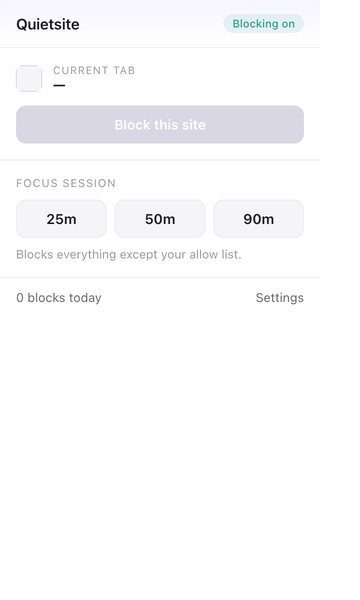
Start a 25, 50, or 90 minute session that blocks everything except your allow list. A live countdown sits in the toolbar.
Schedule
Turn blocking on automatically during work hours, on the days you choose. Set it once and forget it.
Daily time limits
Give a site a set amount of time each day, say 30 minutes of Reddit. Time counts only while the tab is in front, and it resets each morning.
Block the feed, keep the tool
One tap to block the addictive feeds, YouTube Shorts, Reddit popular, X home, while the parts you actually need stay open.
Your own reminder
Write the reason you set the block. When you hit it, you see your own words instead of a generic error.
Strict mode
A PIN to change your settings, and a lock so you can't quit a focus session early when the urge hits.
Make the block page yours
Calm themes, built-in photo backdrops of life's best moments, or your own photo with adjustable blur, dimming, text color, and alignment. A live preview as you tweak it.
Private insights
See how many distractions you turned away today and this week, counted right on your machine.
An honest override
If you truly need a site, take a breath and get a few timed minutes. A door, not a wall, and entirely optional.
The block page
The screen you land on is a canvas, not a wall.
Of the four blockers compared below, none lets you decide what is on the block screen. Freedom shows a green banner saying you are free. Cold Turkey shows a gray popup. Quietsite treats it as the one screen you will see on your worst afternoon, and lets you decide what is on it.
It works out of the box with no configuration at all: a finished scene is active from the moment you install, and a person who never opens the studio is fully served. The block page itself carries no gears and no controls. A single low-opacity Customize appears when you hover, and nowhere else.
Open the studio and you start at a gallery of finished scenes rather than a settings form. Pick one and it applies live. Inside a scene, the content is made of blocks you add, reorder, and remove, each with its settings sitting next to it instead of buried in a modal. The shipped block types include a breathing guide, a clock, a countdown, your own written goals, your own reason for the block, a resisted-today counter, statistics, a two-minute timer, a private journal prompt, an intentional-browse launcher, a book passage, and free text.
Escalating friction, the avoidance journal, and a passage from your own reading list are three block types that none of the four compared blockers ship. Escalating friction makes the door harder the more you push on it: the first block of the day is a short delay, the third adds a prompt for your reason, the fifth asks you to breathe and write a line first, and the whole thing resets at midnight. The avoidance journal asks what you are avoiding and keeps a private local log, because distraction is usually avoidance wearing a different hat, and naming it tends to break the loop. A passage from your own reading list turns a block on X into a nudge toward a book you already chose.
Backgrounds are yours: a calm theme, one of six bundled backdrops, or your own photo with the blur, dimming, text color, and alignment set live as you watch. Your photo is read on your machine and stays there. With the Pro unlock, each blocked site can have its own page, so the reason you blocked one thing is not the reason you see when you hit another.
Six moments
Where a blocker actually earns its place.
When nine in the morning becomes 10
You open the browser to start, and the headlines get the first hour. Start a focus session of 25, 50, or 90 minutes from the toolbar and everything outside your allow list closes, with a live countdown where you can see it. Set the schedule once and blocking switches itself on during the hours and days you chose. Both are free.
When you need the site, but not for two hours
Some sites you genuinely need and cannot afford to lose an afternoon to. Daily time limits, in the one-time Pro unlock, give a site a set number of minutes a day. The clock runs only while that tab is in front, and it resets each morning. The optional gentle override adds a few timed minutes after a short breather, for the days when you really do need the door open.
When five minutes of scrolling becomes two hours
Feed blocking, free, shuts off YouTube Shorts, the Reddit popular page, and the X home feed while the rest of each site stays usable. The block page you land on is one you built: a calm theme, one of six bundled backdrops, or your own photo with the blur, dimming, text color, and alignment set the way you like, previewed as you go.
When the promise was to yourself
Turning a blocker off takes two clicks, which is the problem with most of them at four in the afternoon on a hard day. Strict mode, in the Pro unlock, puts a PIN on your settings and locks a focus session so it cannot be quit early. Escalating friction and a different block page for each site put your own reason back in front of you at the moment you go looking.
When you want the tool and not the feed
YouTube for the tutorial, without the vertical videos underneath it. Block a path such as youtube.com/shorts, a whole site, or any URL containing a keyword, with subdomains covered and no cap on how many, free. Insights count what you turned away today and this week on your own machine, and your list exports and imports whenever you want it.
When you want to check any of this
Everything above is a setting you can open, and the blocking itself is Chrome's own rule engine rather than ours. Your list exports to a file you can read. The block page is a local page in the extension. Nothing here asks you to take our word for it, which is the point of building it this way.
Why Quietsite
Honest by design.
Most blockers cap the free version at a handful of sites, bury an upgrade pop-up in the block page, and route your browsing through their servers. Quietsite does the one job a blocker should do, and gets out of the way.
- No ads, ever. The block page is calm, not a billboard.
- No subscription trap. Free to use. A one-time unlock for the power features.
- Your data stays put. Blocking makes no calls to us; your list syncs free through your own browser's own account sync, if you use it. Anonymous usage statistics cover which features get used, never where you go, and can be switched off.
- A generous free tier. Block as many sites as you like. No three-site cap.
- Built for Chrome and Edge. Manifest V3 native, so it keeps working. Live now on the Microsoft Edge Add-ons Store; the Chrome Web Store listing is pending review.
- A promise, not a pitch. Anything free in Quietsite today stays free. Pro only ever adds new power features on top; it never takes one back.
Side by side
How it compares.
The honest picture, including the places the others win.
| Quietsite | BlockSite | Freedom | Cold Turkey | StayFocusd | |
|---|---|---|---|---|---|
| Price | Free, with a one-time Pro unlock | Subscription, or $39.99 lifetime | From $3.33/mo, or $99.50 once | $39 once | Free |
| Unlimited blocking, free | No cap, ever | Free tier capped | Basic sessions free | Desktop app | |
| Ad-free, upsell-free block page | Calm by design | Reviewers report pop-up upsells | Upsell screens in app | ||
| Focus sessions | Free | Daily budgets instead | |||
| Daily time limits per site | Pro | · | · | · | |
| Feed blocking (Shorts, endless feeds) | Free | · | · | Keywords and channels | Shorts and Reels |
| A lock you can't cheat, with a way out | PIN lock, plus an honest override | Password protection | Locked Mode, no early exit | Unbreakable, no way out | Nuclear Option, no override |
| Sync across browsers (Chrome to Edge) | Pro (same-browser sync is free) | All devices at once | Desktop only | Chrome only | |
| Where it runs | Live on Edge; Chrome pending review | Browser, iOS, Android | Mac, Windows, iOS, Android | Mac and Windows | Chrome |
✓ included · ⚠ partial · ✗ not offered · a dot means we found no verified data. Compiled June 2026; every mark against a named product traces to its own public pricing pages, help pages, or store reviews.
A closer look
See it in place.
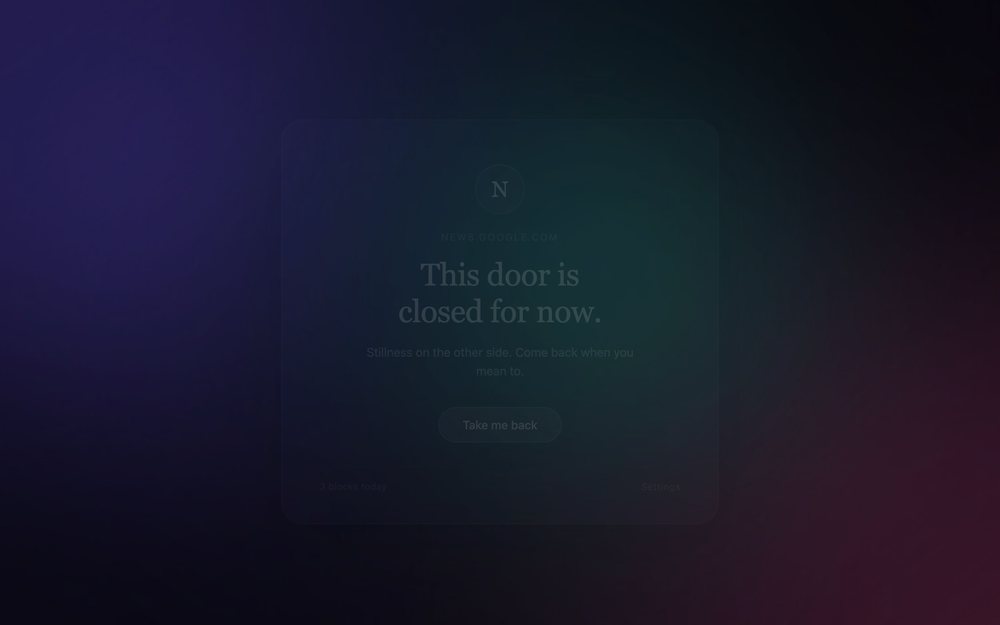
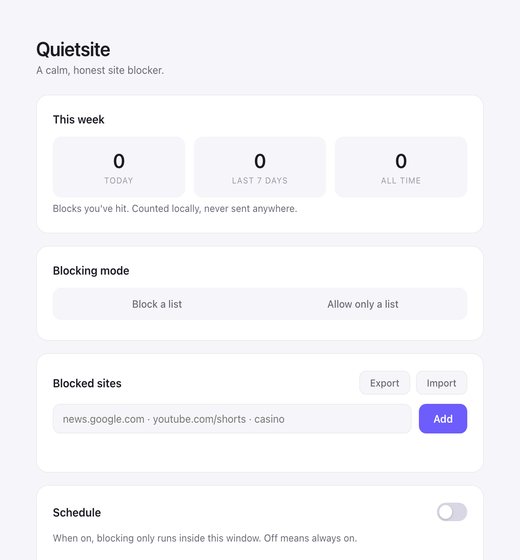
What reaches the network
By default, nothing. Then three things you turn on.
Out of the box the content-source setting is empty, and empty means zero requests. Blocking works with no license to check and no domain list to fetch, because neither exists on our side.
Three things can reach out, and each one is something you switch on yourself.
Art and writing on the block page. Turn this on in the studio and the block page can draw public-domain art and poetry from six named sources: the Metropolitan Museum of Art, the Cleveland Museum of Art, Wikimedia, Openverse, PoetryDB, and On This Day. Leave it off, which is how it ships, and no media request is made.
The design gallery. Share a block-page design and it is stored under a six-character code you can send to someone. What travels is the design: the background, the layout, the words you wrote on it. Your block list, your paths, your keywords, and anything about you stay where they are.
The one-time Pro unlock. Handled by the payment provider, and only at the moment you choose to buy.
Outside those three, everything runs on local storage. Settings sync free through your own browser sync, if you have it on, using the account you already signed into. The one hosted store is the design gallery above, and it holds only what you explicitly choose to share. Usage statistics are anonymous, cover features rather than addresses, and are optional.
The limits
What it does not do, and who should buy something else.
Quietsite stays small on purpose, and small means real gaps. Two are worth stating before you install it.
There is no adult-content category blocking. Filtering a category rather than a domain needs a maintained list of what belongs in that category, and a lookup against it, which is a different mechanism and a different privacy story from the one described above. There is also no mobile app. Quietsite runs on Chrome and Microsoft Edge, with both store listings staged, and a browser extension cannot reach a phone.
So there are people this is the wrong tool for, and they are easy to name. If you need the block to follow you onto a phone, Freedom covers Mac, Windows, iOS, and Android from $3.33 a month or $99.50 once, and that cross-device reach is a real advantage a browser extension cannot match. If you want a desktop lock that closing the browser cannot get around, Cold Turkey is $39 once on Mac and Windows and does not offer a mobile app. If open source matters more to you than anything else here, LeechBlock NG is free, open source, and rates 4.9 stars on the Chrome Web Store.
What is left is the person we built it for: someone who works in Chrome or Edge, wants unlimited blocking without a cap, wants the block page to be quiet, and does not want a subscription for any of it.
Questions
Good to know.
Is it free?
Yes. Blocking as many sites as you like is free, forever, and so are focus sessions, the schedule, custom backgrounds, and insights. A one-time Pro unlock adds the power features: daily time limits, strict mode, escalating friction, per-site block pages, cross-browser sync (Chrome to Edge), and design sharing. No subscription.
Does it track me?
No browsing tracking. Your block list, settings, and insights stay right where you keep them and are never sent to us or anyone, and the icons for blocked sites come from Chrome's own local cache, so everyday blocking happens instantly with nothing to fetch. Your settings sync free through your own browser's account sync, if you have it on. What the extension does report is anonymous usage statistics: which features get used (a block added, a focus session started), tied to a random id, never the sites you block or any address you visit, and switchable off in Settings. Two other things reach a server only if you choose them: the optional one-time Pro unlock via our payment provider, and the optional design gallery, which stores a shared block-page design under a code, never your block list. One honest footnote, because this page is not the extension: this marketing page counts anonymous page views and which sections are reached, on our own server, with no cookie. The extension you install carries none of it.
How do I block a site?
Click the Quietsite icon and "Block this site," or add a site, a path (like youtube.com/shorts), or a keyword in settings. Subdomains are covered automatically.
Can I use my own background?
Yes. Pick one of the calm themes, choose a bundled background, or upload your own photo, then adjust the dimming, blur, text color, and alignment, with a live preview.
Can I get past my own block?
Only if you turn on the optional gentle override, which gives you a few timed minutes after a short breather. Strict mode adds a personal identification number (PIN) and locks focus sessions until the timer ends.
Which browsers does it work on?
Chrome and Microsoft Edge, built on Manifest V3 so it keeps working. Live now on the Microsoft Edge Add-ons Store; the Chrome Web Store listing is pending review.
Will a feature that's free today ever move behind Pro?
No. Anything free in Quietsite today stays free for good. Pro only ever adds new power features on top of the free tier; it never takes back something you already had for free. That's a standing policy, not a promotional claim.
Get your quiet back.
Free to use. A one-time unlock for the rest.
No subscription and no ads. Live on the Microsoft Edge Add-ons Store; the Chrome Web Store listing is submitted and in review.
Chrome and Edge listings staged.Want a note when it launches? Get one launch email, nothing else.